You have two companies, three brands or several locations, and each needs its own website. Usually that ends with every site running a different content system, with a different password and a different person who knows how to add a post. Modulo works differently: the websites can be standalone, with their own domain and their own design, but you manage their content in one admin. Here is how it works today, what stays separate and what is shared.
Several companies in one admin
It all builds on a feature we call multicompany in Modulo. It has been there since version 2.8. Since version 2.36, module content has been separated by company, and since version 3.16 (October 2026) each company has its own data in every module, in the API and in the mobile apps. In practice this means:
- its own data: tickets, tasks, contacts, CRM deals, invoices and blog posts belong to a specific company,
- its own documents: each company has its own invoice number series, prefix, supplier header and logo,
- its own modules: a real estate company sees Real Estate, a restaurant sees its menu, and a module the company doesn't have won't open even from a direct URL,
- its own people and roles: you can set a role for each company separately, and users of different companies can't see each other.
You switch between companies in the left menu. There is also an “All companies” view where you see, for example, the tasks of all companies together, with a company label on each record. Someone who belongs to just one company won't see the switcher at all.
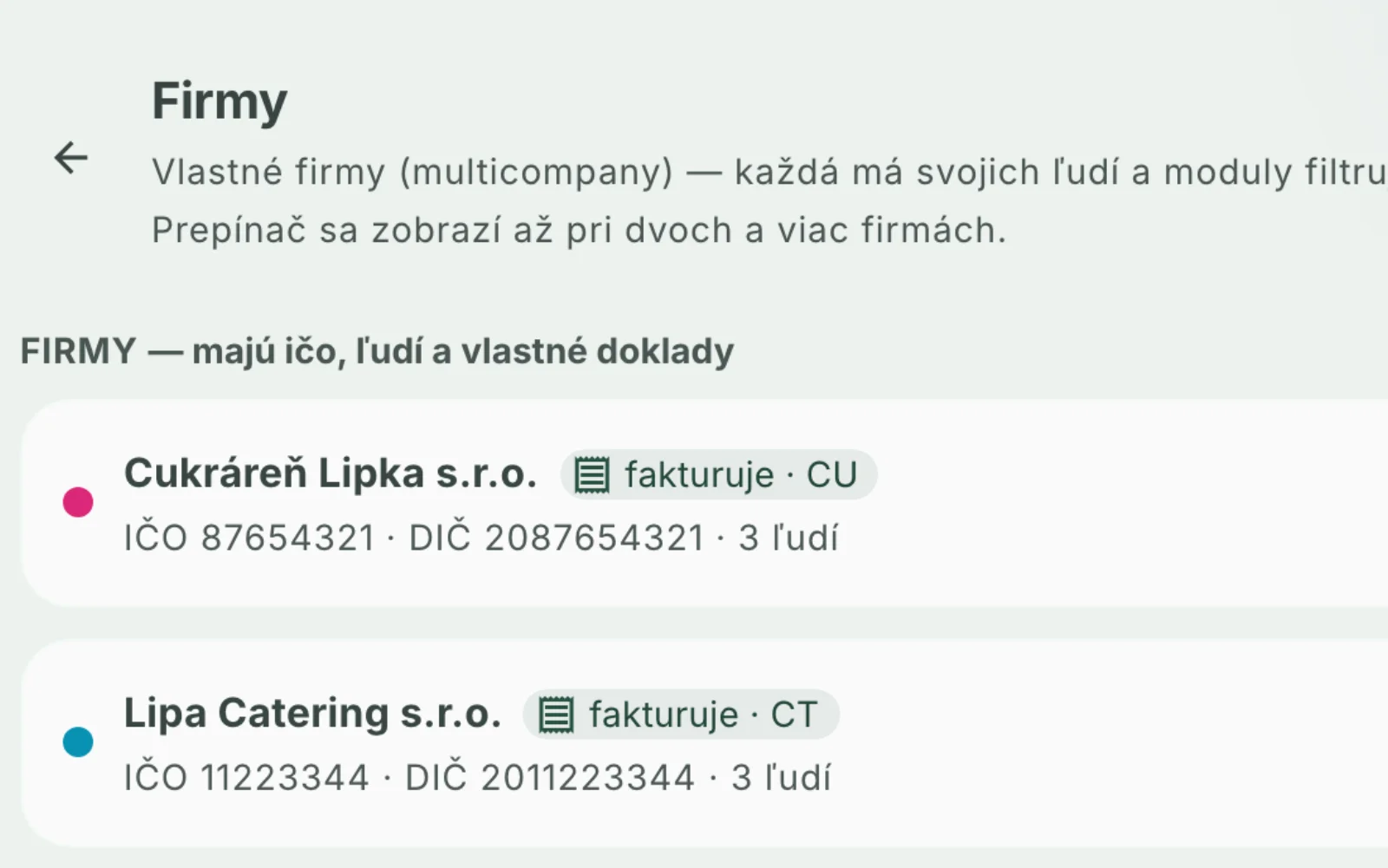
In Settings → Companies, companies and websites are listed in two groups. For example, you can mark a brand that isn't a separate company as a website. Even such a website can have its own invoice number series if you turn it on.
Websites: their own domain, their own design, content from Modulo
A company's or brand's website doesn't have to look like the others. It can be a standalone project with its own code, design and domain. The content, meaning the posts and their translations, is still written in Modulo.
Take antore.sk, the website of Tomáš Renčík (ANTORE), as an example. It has its own design and its own domain, but its blog is written in Modulo, under a separate company set up just for this website. The website is a standalone project on Cloudflare. It reads the same database Modulo writes to and takes only the published posts of that company. On November 15, 2026 we verified this directly on the live websites:
- the posts on antore.sk and on modulocms.sk are two separate lists, and no post appears in both,
- a post about the Microsoft 365 outage of November 12 was published on both websites, but each website has its own version at its own address,
- the English version of the blog on antore.sk takes the post translations from Modulo,
- the same list of posts is also in the sitemap and in the llms.txt file for AI assistants,
- traffic is measured by Modulo's analytics, which tells domains apart, so each website has its own numbers,
- the footer carries the line “Web a blog poháňa Modulo” (Website and blog powered by Modulo).
So you write a post in Modulo, pick the right company, and the website shows it. You don't log in to any other system.
Forms from websites back into Modulo
A website doesn't only display content, it can also send messages back. That's what Modulo's API v1 is for. Each API key belongs to one company, so an inquiry from brand A's website is never recorded under company B. When you create a key, you choose its purpose:
- a website form into CRM creates a company, a contact and a deal,
- a website form into Helpdesk creates a ticket,
- an order form is saved in full and a ticket is created for it.
Since version 3.15, Modulo can send the form emails: a notification to your team and a confirmation to the customer, in Slovak or English, with the branding of the company the key belongs to. You change the texts and addresses in Modulo, not in the website's code. If Modulo doesn't respond, the website can send the emails itself as a fallback.
What stays separate and what is shared
| Separate for each company or website | Shared |
|---|---|
| the website's domain and design | one login (including two-factor authentication) |
| posts, quotes, contacts, tickets, deals | one admin and the company switcher |
| invoices, number series, logo and color | the shared “All companies” view |
| enabled modules | instance-wide settings (license, email senders) |
| who belongs to the company and what role they have in it | one database that both the admin and the websites read |
| API keys and forms | shared Modulo updates |
| backups (backup and restore of a single company) |
Settings that apply to the whole instance can only be changed by the instance administrator. That is a superadmin or someone who belongs to all companies. So the manager of one location can't overwrite them for everyone else by mistake.
Who it saves the most work
- A business owner with several limited companies. Each company's invoices go out under its name and with its own number series, but you see tasks and tickets in one overview.
- A company with several brands. Each brand can have its own website and its own tone. Marketing still writes posts in one place.
- Locations with their own staff. A person from one location sees only its content, and the company switcher isn't even shown to them. The owner switches between locations in the left menu.
What to think about up front
- The number of companies depends on the plan. By default, Starter has one company, Business two, Pro five and Enterprise has no limit. Plan prices are in the pricing; we invoice them once a year in advance.
- A standalone website has to be built. If you want your own design like antore.sk, the website is a standalone project that reads its content from Modulo's database, so it runs on the same Cloudflare account. Modulo provides its content and management, not its look.
- The domain has to be pointed to the website that will serve it. Without that, the website won't show up on it.
- Write content under the right company. A post saved under another company will show up on another website. Before writing, it's worth checking the switcher in the left menu.
If you have several companies, brands or locations and want one admin for them, write to us. We'll go through together how many companies and websites you need and what should stay separate.
Sources
- Modulo changelog, versions 2.8.0, 2.8.1 and 2.8.2 (July 7, 2026): multicompany, modules and invoices per company, number of companies limited by plan.
- Modulo changelog, version 2.33.0 (July 10, 2026): blog separated by company.
- Modulo changelog, version 2.36.0 (July 10, 2026): module content, users and roles per company.
- Modulo changelog, version 2.41.0 (July 11, 2026): a company's modules limit its members' access.
- Modulo changelog, version 2.105.0 (July 29, 2026): traffic analytics tells domains apart.
- Modulo changelog, version 2.107.0 (September 7, 2026): company backups.
- Modulo changelog, version 2.150.0 (September 21, 2026): API v1 for websites and partners.
- Modulo changelog, version 3.8.0 (October 18, 2026): API key purpose.
- Modulo changelog, versions 3.15.0 and 3.16.0 (October 21, 2026): forms and form emails, company data separation in all modules.
- Modulo pricing: https://modulocms.sk/store (verified November 15, 2026).
- antore.sk website: https://antore.sk/ , https://antore.sk/llms.txt , https://antore.sk/sitemap_index.xml (verified November 15, 2026).
- Modulo blog: https://modulocms.sk/blog (verified November 15, 2026).
Verified November 15, 2026.