The invoice as a paper document
Seller, buyer, lines, VAT breakdown, payment details and attachments embedded in the XML. Unknown XML is shown as a tree.
Free · Mac, Windows and in the browser
From 1 January 2027, Slovak VAT payers send invoices to other businesses as XML. This program turns them into a readable document: it checks the totals, saves a PDF and prints it. It runs only on your computer and never sends invoices anywhere.
What it does
Seller, buyer, lines, VAT breakdown, payment details and attachments embedded in the XML. Unknown XML is shown as a tree.
Selected EN 16931 rules (totals, VAT, mandatory fields) plus Slovak company ID, VAT ID and IBAN checks. Full validation is done by the access point.
The program builds the PDF itself, identical on Mac and Windows. Several invoices go into a ZIP of separate PDFs or one combined PDF.
Always a light document without buttons or menus. Print all selected invoices at once with one button.
For an invoice with an IBAN it prepares a payment QR code with the amount, reference and due date. Check the details in your bank before paying.
Opens a whole folder or ZIP, filters by year, month, company, amount and due date, totals the selection and builds a company directory.
The list to CSV and XLSX, invoices and directory to XML for MK Soft, and a sorted copy of the files by year and company.
Opens an eInvoice archive backup at once and recalculates the checksum of every file. A changed or missing file shows up immediately.
PDF and printing
Open the invoice and press Save PDF or Print. For several invoices, select them in the list and choose PDF of selected or Print selected. On paper the document is always light, with a payment QR code and the original file name in the footer.
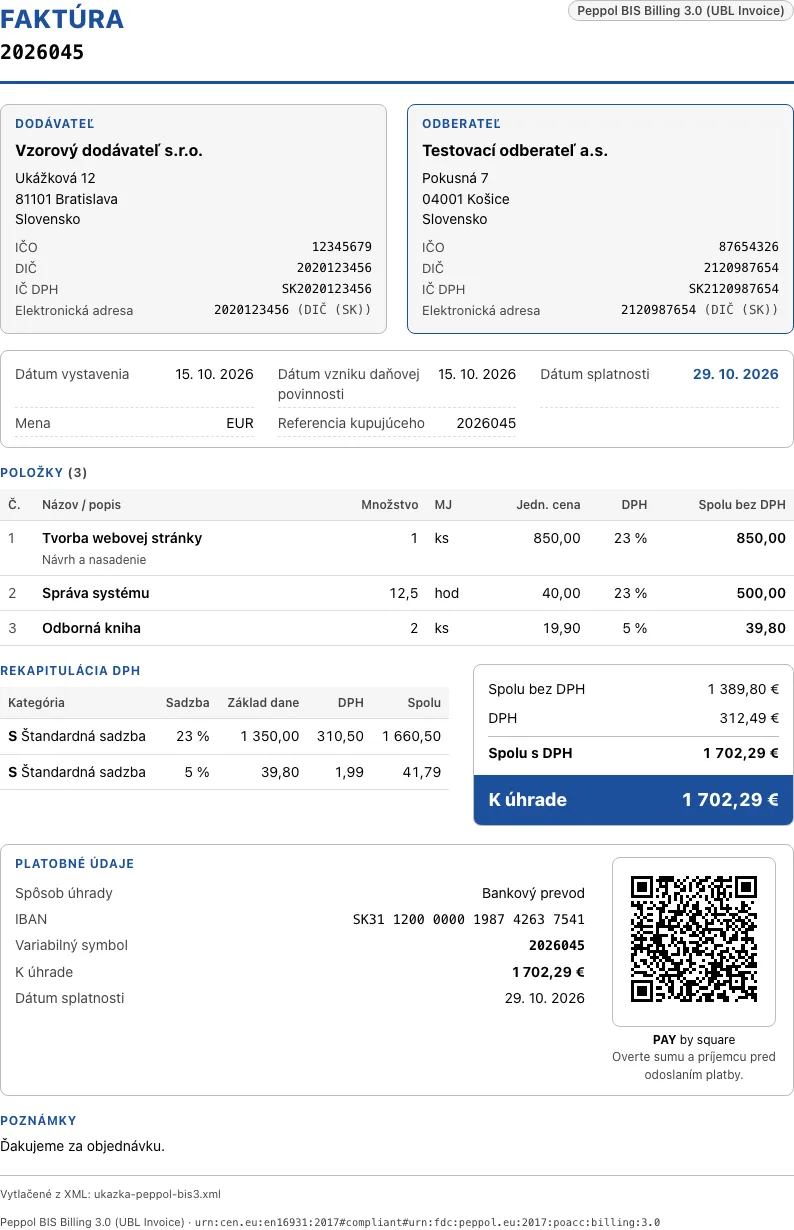
What it looks like
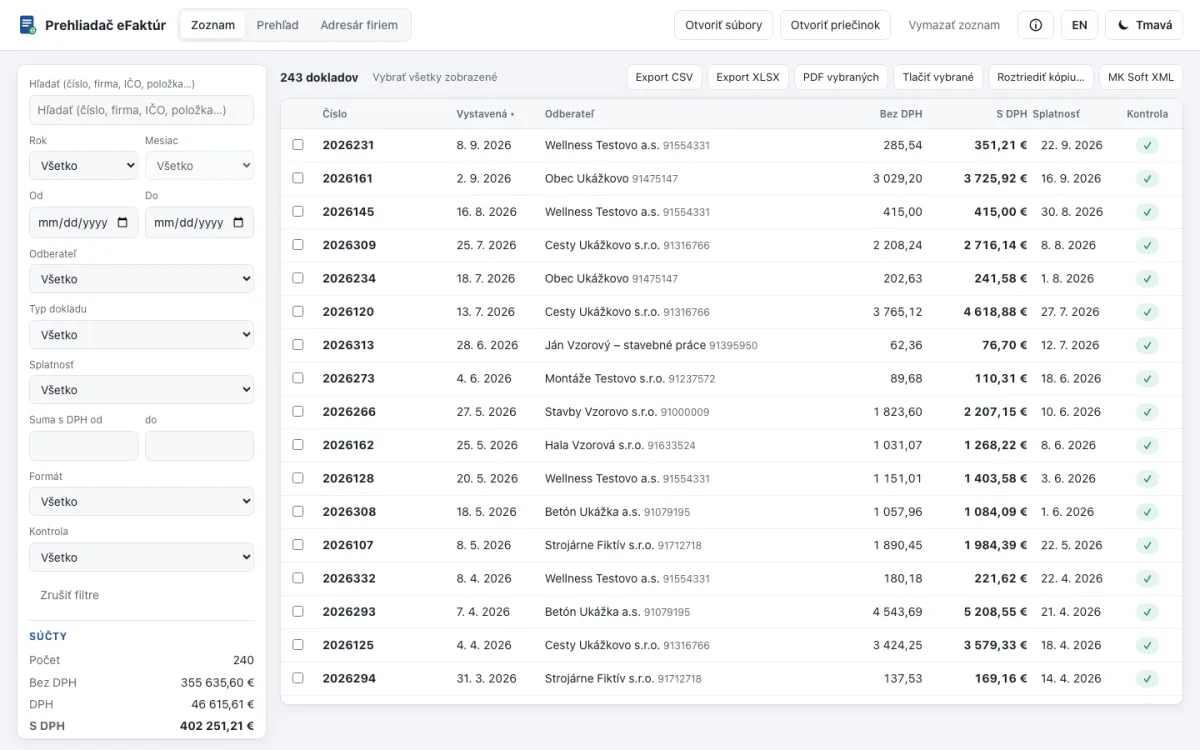 List with filters and totals
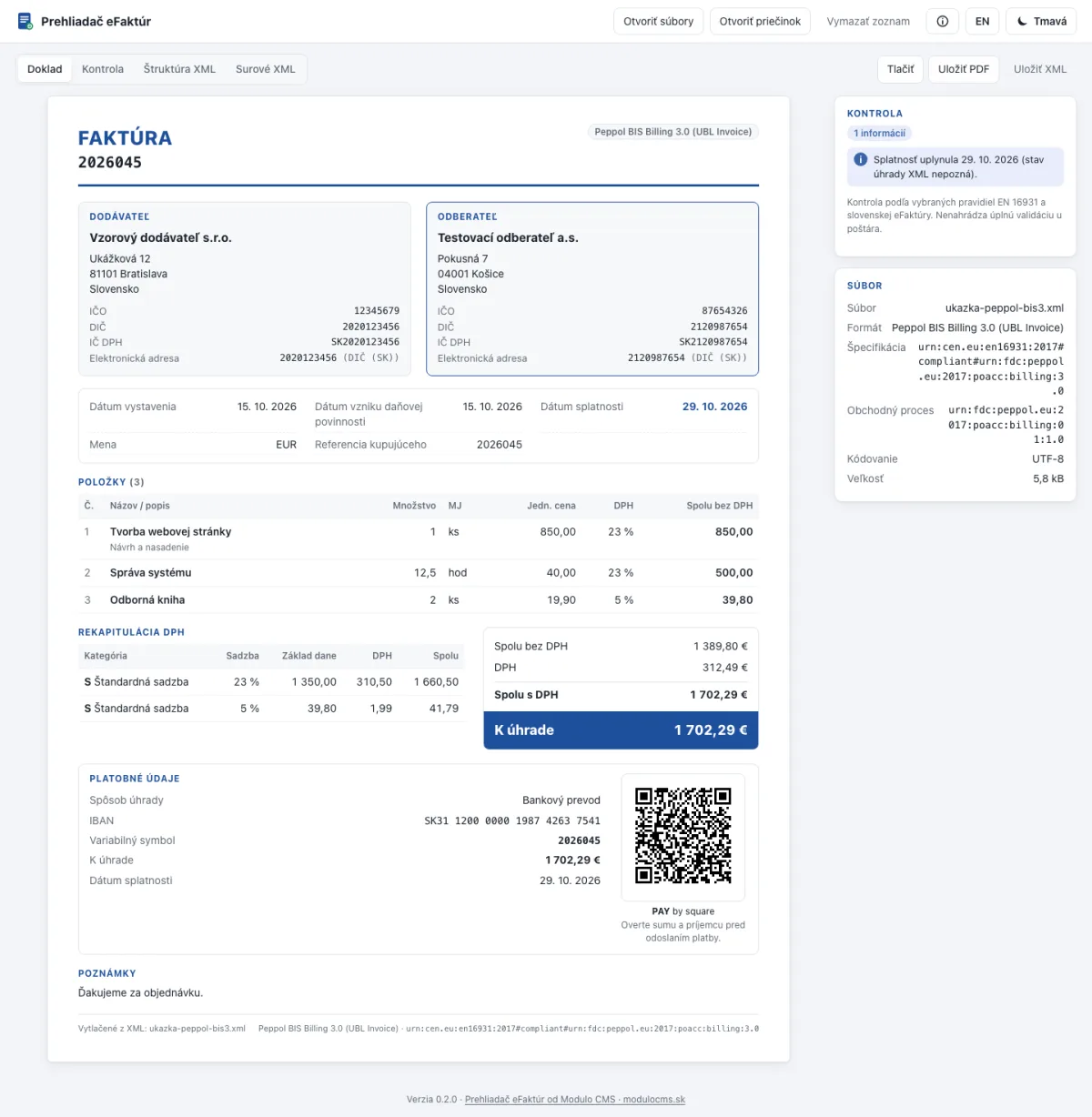 The invoice as a document with QR payment
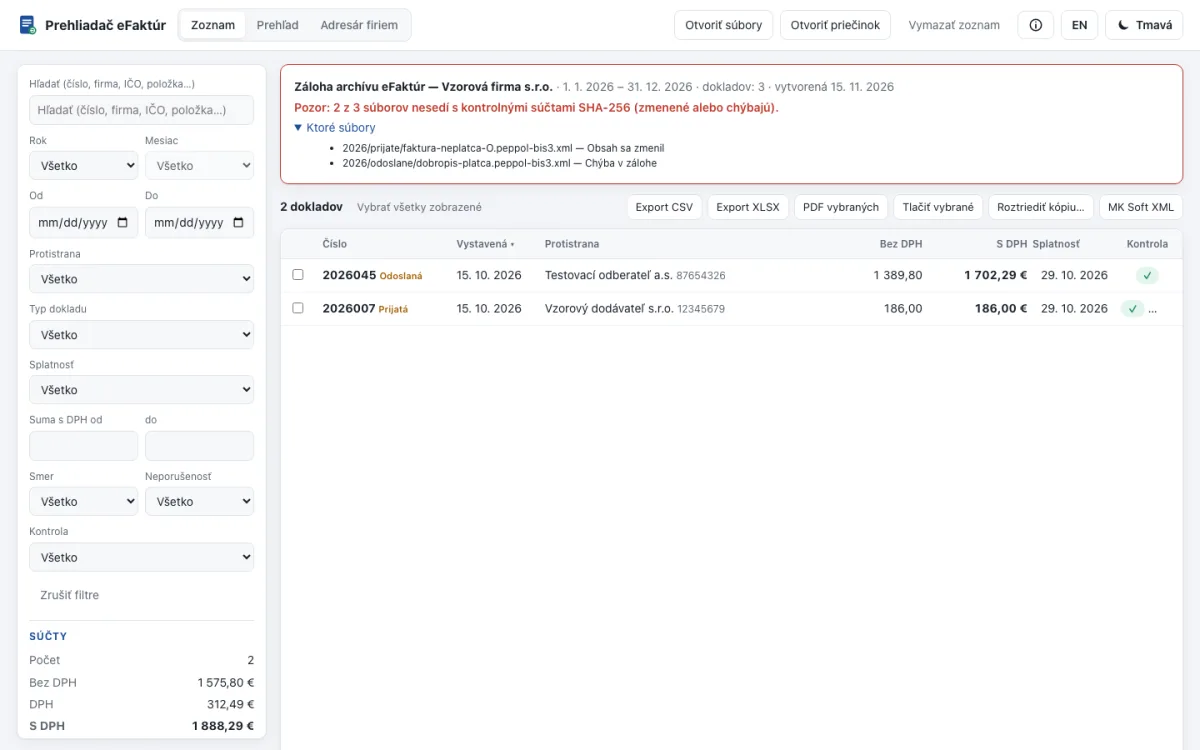 Backup: two files don’t match SHA-256
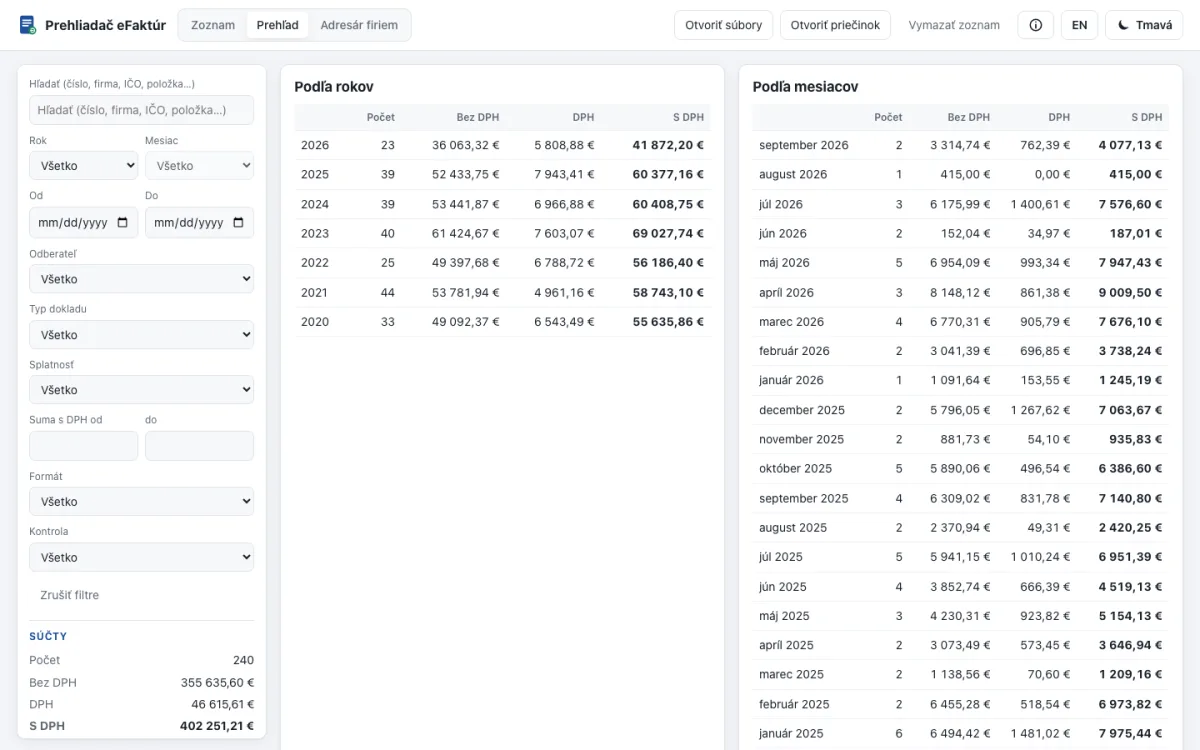 Overview by month and company
The companies and amounts in the screenshots are made up.
Privacy
Once the page has loaded, the browser is forbidden to open any connection (the connect-src 'none' security rule). Files are read from your disk; nothing goes to a server.
Download the online version as a single HTML file and open it with a double-click, even from a USB stick.
No statistics, no online updates, no account. The only link inside points to this page.
Check it yourself: open the online version, switch off the internet and load an invoice.
Who it helps
Before paying you see who is invoicing, for what and how much, and whether totals and IBAN add up — without waiting for your accountant.
Clients send XML from different programs. Open a whole folder at once, filter the period and export the list.
The XML stays readable even if you change access point or invoicing software. Check the backup with checksums.
When someone wants the invoice on paper or as a PDF, print or save it with one click.
Download
All versions are the same program. Version 0.2.0.
In Chrome, Edge, Safari or Firefox, on a tablet too. Nothing to install.
Open onlinemacOS, Intel and Apple Silicon. Unzip and move the app wherever you like.
Download · 5.9 MBf297e0d1e17d4358bbdd21e4bf68125a137af5b511667a3d1020620dd92af239Prehliadac-eFaktur-Mac.zipWindows 10 and 11, a single .exe with no installer, can live on a USB stick.
If it doesn’t start, use the online version or the HTML file.
Download · 4.6 MB30038836def5c865446cc2ab570449449cd2a6fbbbc0a31ecf02f902d942c6fbPrehliadac-eFaktur-Windows.exeThe online version on your disk: opens with a double-click in the browser, offline.
Download · 1.7 MBfe3c7b2e9d0dba51b099da6ad033cb5594d50b42048331850fa590697fd41d0cPrehliadac-eFaktur.htmlCompare the checksum with the value next to the file. Mac (Terminal): shasum -a 256 Prehliadac-eFaktur-Mac.zip · Windows (PowerShell): Get-FileHash .\Prehliadac-eFaktur-Windows.exe
All checksums in one fileModulo · Invoices
Modulo issues the invoice as Peppol BIS 3.0, checks it before sending and delivers it through a certified access point. Sent and received XML goes into the archive, and you open the backup with this viewer.
FAQ
Yes. For businesses and private use, without sign-up and without a limit on the number of invoices. You only pay for Modulo if you also want to issue invoices in it.
No. The program only reads files from your disk. The online version has a security rule that forbids the browser to open any connection, and the Mac and Windows app has no statistics or online updates.
Open the invoice and press Save PDF or Print. For several invoices, select them in the list and choose PDF of selected (ZIP or one combined PDF) or Print selected.
No. From 1 January 2027 invoices are sent and received by a certified access point (Financial Administration FAQ No. 6). The viewer opens the XML you get from it or keep in your archive.
No. It checks selected EN 16931 rules and Slovak data (totals, VAT, company ID, VAT ID, IBAN). Full validation before delivery is done by the access point.
No. A VAT payer archives eInvoices in XML (Financial Administration FAQ No. 59). The PDF is a copy for reading and printing; the original stays XML.
An app for Mac (Intel and Apple Silicon) and for Windows 10 and 11. The online version and the HTML file run in Chrome, Edge, Safari and Firefox, on tablets too.