Labelhelm for Windows · Mac and web versions in preparation

Design labels with your mouse.
Print them on your own printer.

Text, a barcode with a check digit, a logo and a use-by date on one label. Print a whole batch at once, even from an Excel sheet — on any label printer with a Windows driver.
  • €99a year per computer
  • 30 daysfree, no card
  • SK · ENSlovak and English
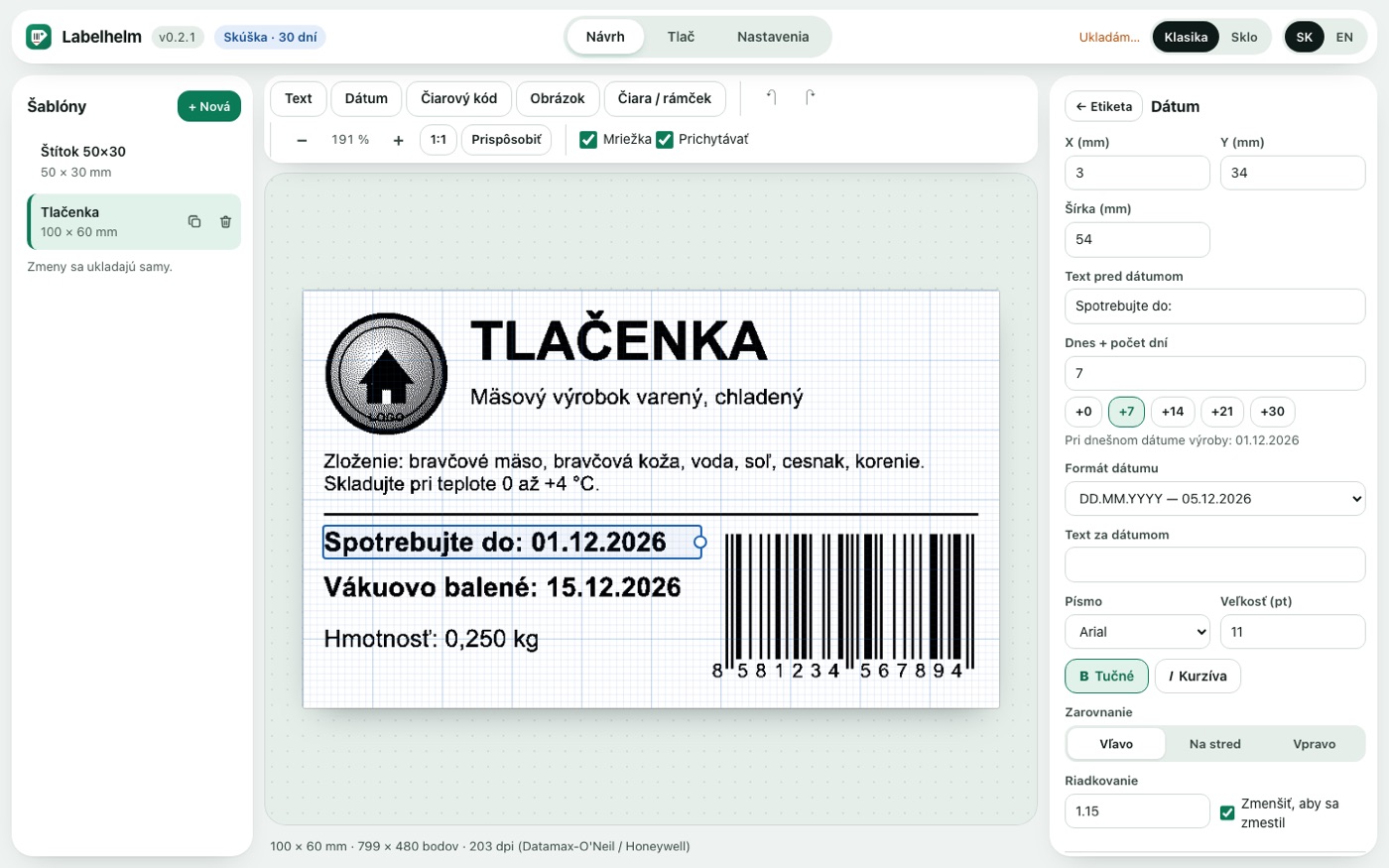
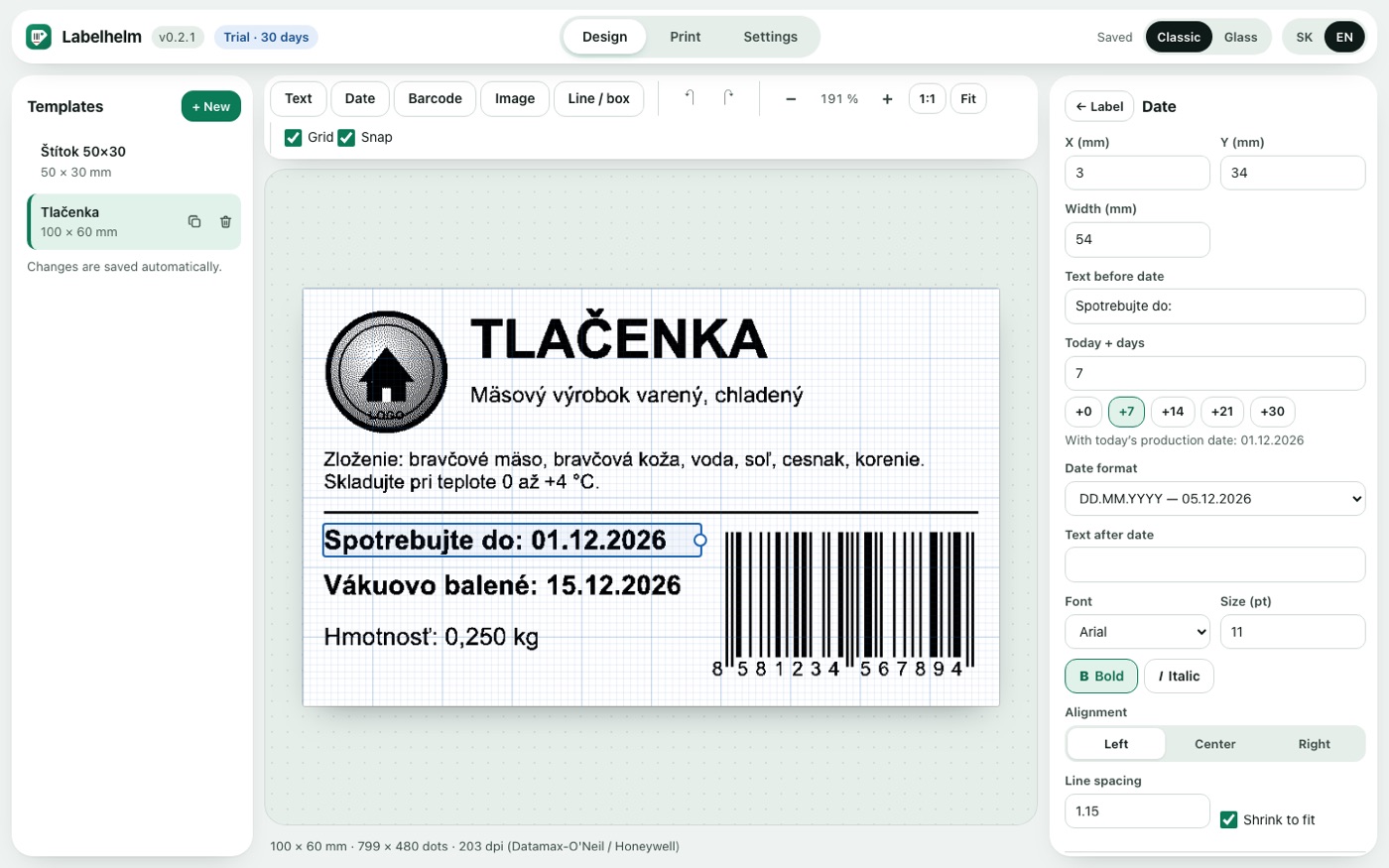
Labelhelm on Windows: a 100 × 60 mm label with a logo, use-by dates and an EAN-13 barcode
Windows 10 / 11 · version 0.2.1

Label design

Everything a label needs. Nothing more.

Put elements together with the mouse on a grid; the preview shows exactly what the printer will print — dot by dot.

Text

Font, size, bold and alignment; variables like {weight} are filled in when printing.

Barcode

EAN-13, EAN-8 and Code 128. Calculates the check digit and never prints a wrong one.

Logo and image

Converts it to black and white (threshold or dithering) for thermal printing.

Use-by date

Today + N days (e.g. 7 and 21) in the format you need.

Mouse, grid, 1 : 1

Drag, snap to grid and preview in real size.

Templates

Save finished labels and next time just print them.

What it looks like
Design, print, settings.

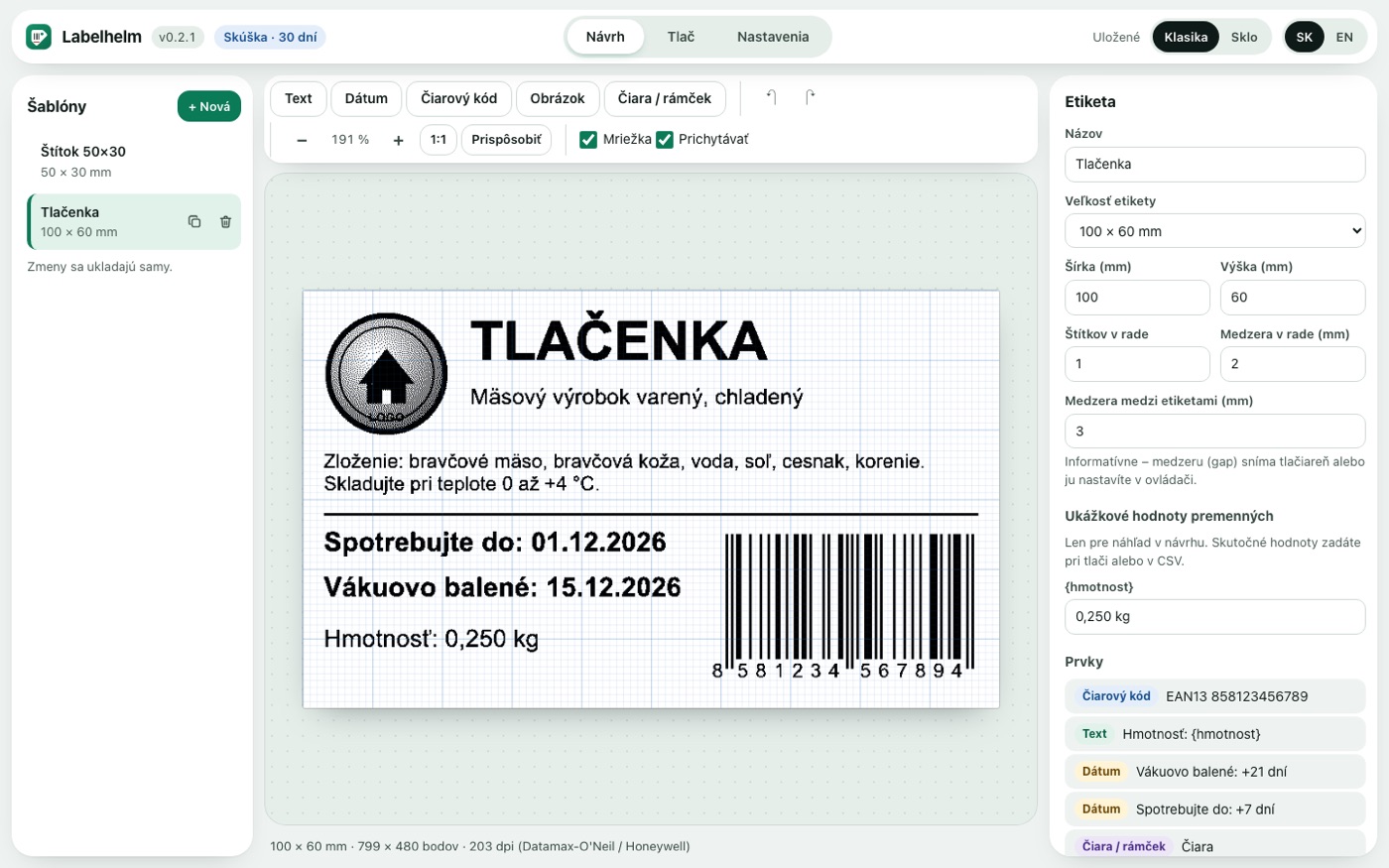
Label design with a logo, text, dates and a barcode
Label design Elements on a grid, their properties on the right.
Use-by date setting today plus 7 days
Use-by date Today + days, format and font.
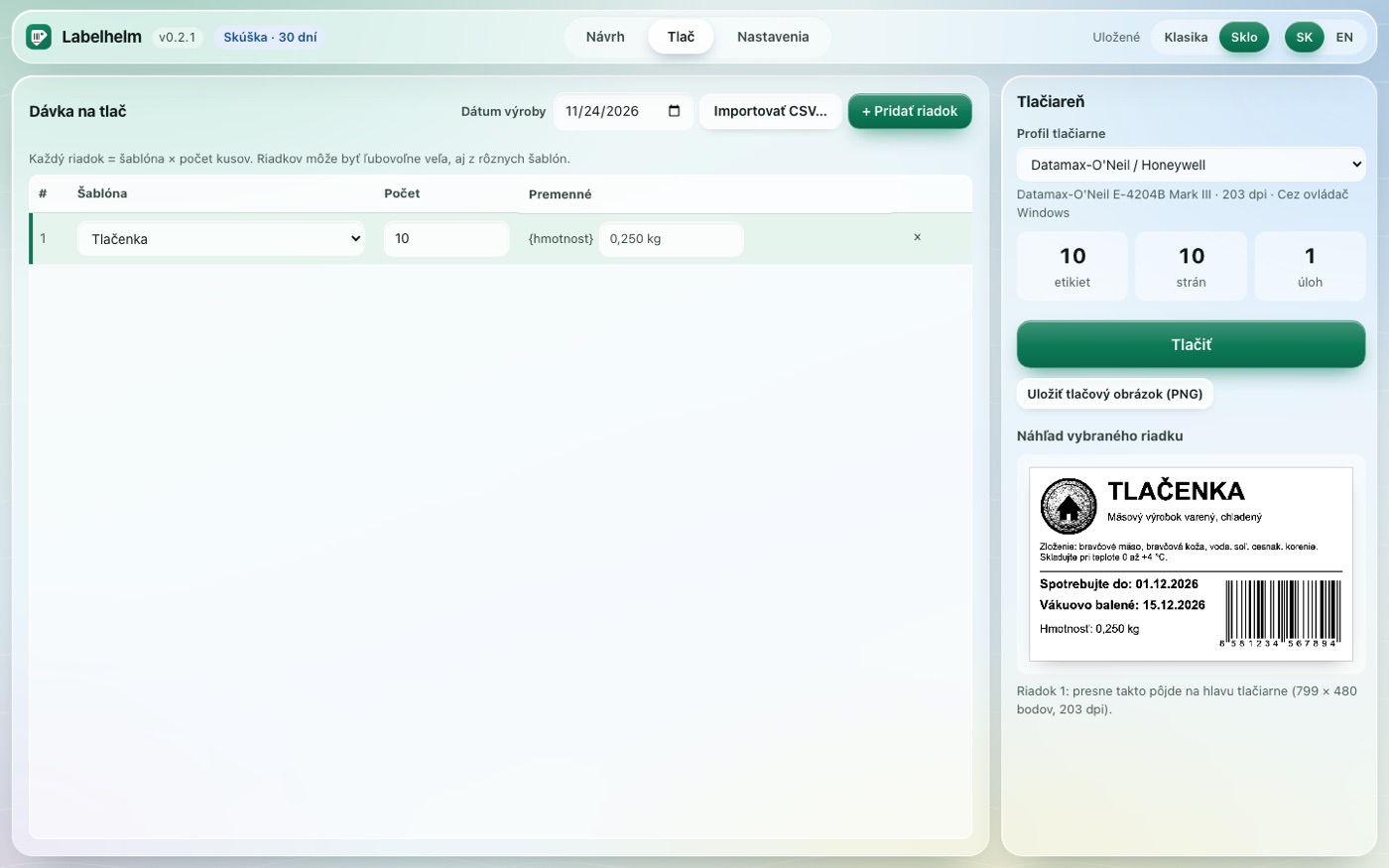
Print batch with template, quantity and preview
Batch printing Template × quantity, CSV and a preview before printing.
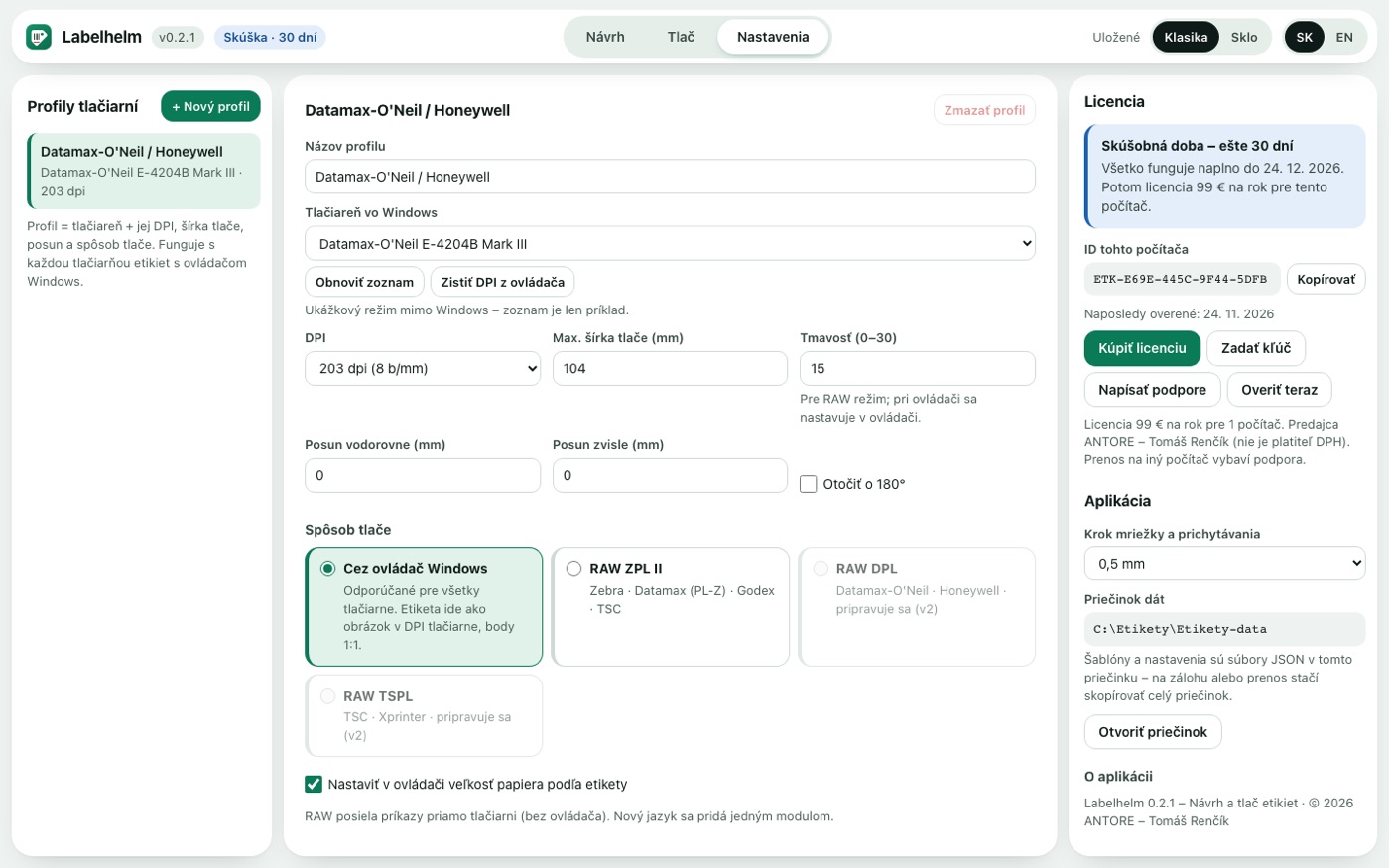
Printer profile with DPI, width and print method
Printer profile DPI, print width, offset and print method.

Printing and printers

Works with the printer you already have.

Many labels at onceA batch from one or more templates, each with its own quantity.
CSV import from ExcelLoad weights, codes or names from a sheet (Excel Windows-1250 too).
Labels acrossRolls with several labels side by side are filled in one row.
Any printer with a Windows driverDatamax-O'Neil / Honeywell, Zebra, TSC, Godex, Brother and more; 203, 300 and 600 DPI.
Optionally straight in ZPLFor printers that understand ZPL, even without a driver.
Automatic updatesNew versions download by themselves and install with one click.

Price

One licence. One computer, one year.

  1. Order in Modulo StoreWe sell to companies only – enter your company and company ID. Pay by card or bank transfer (QR).
  2. The key arrives by e-mailRight after payment you get a licence key (one per computer).
  3. Enter it in the programSettings → Licence → Enter key. Valid for one year from entry.

99 € / year per computer

  • All design and printing features
  • Any label printer with a Windows driver
  • Automatic updates
  • Slovak and English

Total per year: 99 €

Add to cart in Modulo StoreDownload the 30-day trial

Final price; the seller ANTORE – Tomáš Renčík is not a VAT payer.

Labelhelm

FAQ

How does the trial work?

Download the program and use all features for 30 days. No card or order needed.

What happens after the trial?

Without a licence the program prints with a watermark for 14 more days and then stops. Your templates stay – after entering a key you continue where you left off.

Does it work offline?

Yes, for up to 3 days without a connection. The first start needs the internet so the trial can start on our server.

I am changing computers. What about my licence?

Support moves it – click Contact support in the program. The old computer is switched off and the new one gets a key with the remaining period.

Which printers are supported?

Any label printer with a Windows driver, e.g. Datamax-O'Neil / Honeywell, Zebra, TSC, Godex and Brother, at 203, 300 and 600 DPI. Optionally it prints straight in ZPL.

Is there a Mac version?

Windows 10 and 11 only for now. Mac and web versions are in preparation.